


See what's new in Salesloft! In this article, we will highlight upcoming Salesloft features and functionality.
Anticipated Release Date: Feb 10, 2026.
Please note: Features will start rolling out on the release date, but may not be available to all users until the end of the month.
Clari and Salesloft have recently merged!
Clari and Salesloft completed their merger (read more here!). Are you a Clari user or curious to learn what is being released? Check out the Clari release notes. And stay tuned for early integrations and developments bringing the best of both platforms together in the coming months.
New features are releasing in the following product areas:
Workflow, Rhythm, & Cadence
Task Enhancements
When rescheduling Tasks in Rhythm, Rhythm will use business days (Mon - Fri) as the default option. Additionally, Admins will now have more options to choose from when scheduling Task due dates.
Who: Task enhancements are available for all Salesloft users.
Where: Business day logic applies to rescheduling tasks in Rhythm and can also be found in the Play builder.
When: This feature will gradually roll out to users over the coming week.
How: Check out our Tasks in Salesloft and Create a Play help docs to learn more.
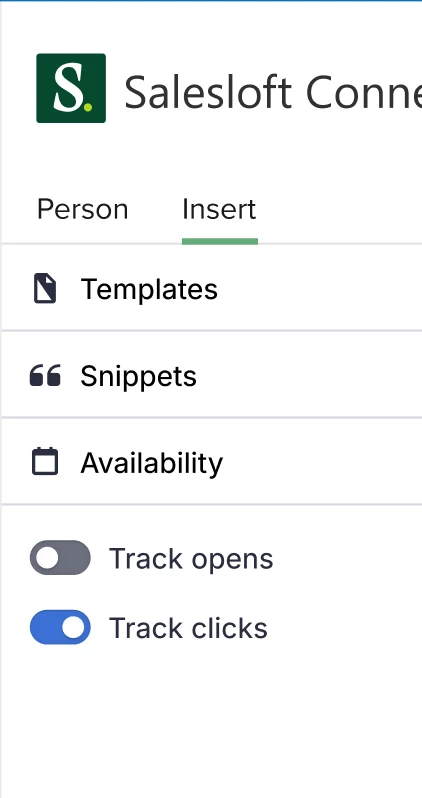
Open & Click Tracking Enhancements for Outlook
Open & Click Tracking Enhancements for Outlook introduces per email Open & Click Tracking while also enhancing the accuracy and reliability of email open and click tracking functionality within the Outlook integration.
Who: Available to all Salesloft users utilizing Salesloft Connect within Outlook.
Where: Located in the Salesloft Connect side panel within Outlook.
When: This feature is generally available.
How: For more information on Open & Click Tracking, check out the following articles:
Outlook Add-In Enhancements
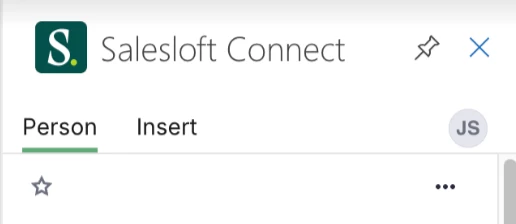
The Salesloft Connect side panel can be pinned while composing an email in Outlook.
Who: Available to all Salesloft users utilizing Salesloft Connect within Outlook.
Where: Located in the Salesloft Connect side panel within Outlook.
When: This feature is generally available.
How: Open the Salesloft Connect Side Panel while composing an email in Outlook and click the Pin button in the top right of the side panel to pin the side panel.
Channels & Conversations
Conversations - Sharing Page Enhancements
Sharing Page Enhancements includes an enhanced recording link sharing experience including an updated Public Sharing Page. The Public Sharing Page refers to the landing page a non Salesloft user is directed to when they open a recording link. With this release, non-Salesloft users will be required to enter a password to view a recording. The Public Sharing Page will now include an AI summary of the conversation, an enhanced Meeting Info panel, and a full transcript sidebar that allows users to jump directly to specific keywords or topics.
Who: Available to all Salesloft users with Conversations enabled.
Where: Located on the Public Sharing Page generated when a user shares a recording link from the Conversations Page or the Recording Details page
When: This feature is generally available.
How: Explore the feature by generating a sharing link for any recording. Salesloft will automatically provide the required passcode to share with your recipient. To learn more, check out the Share a Recording article.
MS Teams Management Enhancements
Salesloft admins can now access a centralized Manage Users table after bulk configuring the Microsoft Teams API Integration. This table provides full visibility into integration connection statuses, allowing admins to easily manage their team’s access to the API Integration or the Bot Integration.
This release also includes new bulk management tools that allow admins to manage Microsoft Teams API access for multiple users at once. Admins can now check the box beside relevant team members on the Manage Users table, then use the Bulk Actions dropdown to perform specific actions.
In addition, new Status and Group filtering options are available on the Manage Users table. Admins can use these filters to identify users with disconnected integrations and resolve recording issues faster.
Who: Available to Salesloft admins who bulk configured the Microsoft Teams API Integration. To configure the Microsoft Teams API Integration in bulk, Salesloft admins must hold Microsoft Teams admin privileges and have the "Manage Conversations" permission enabled in Salesloft.
Where: Located within the admin Conversations Settings.
When: This feature will gradually roll out to users over the coming week.
How: Check out the Manage the Microsoft Teams API Integration article to learn more.
Platform & Governance
In-App Notification Enhancements
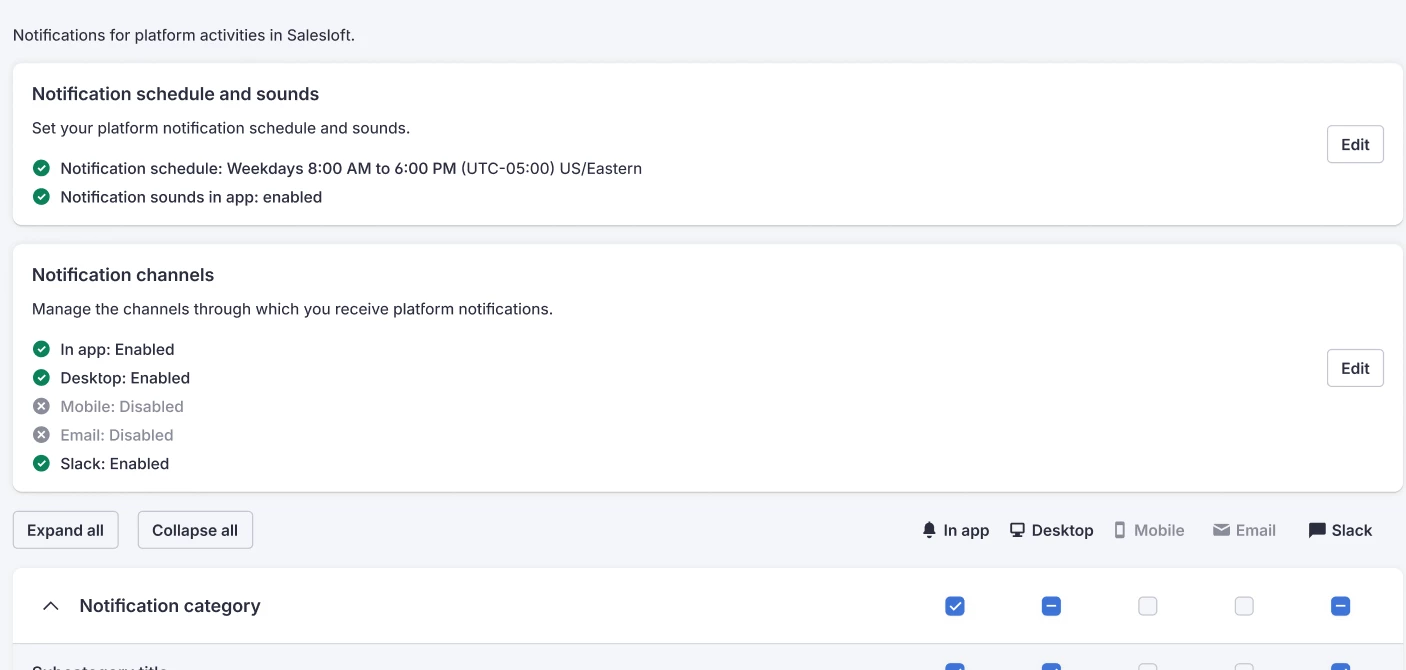
Introduces an In-App notification center that alerts users to critical platform health issues such as a failed CRM sync or calendar disconnection
Who: Available to all Salesloft users.
Where: In-App Notification Enhancements are located in Notification settings.
When: This feature will gradually roll out to users over the coming week.
How: Check out the Platform Notifications article to learn more.
Drift
Chatbot Settings Enhancements
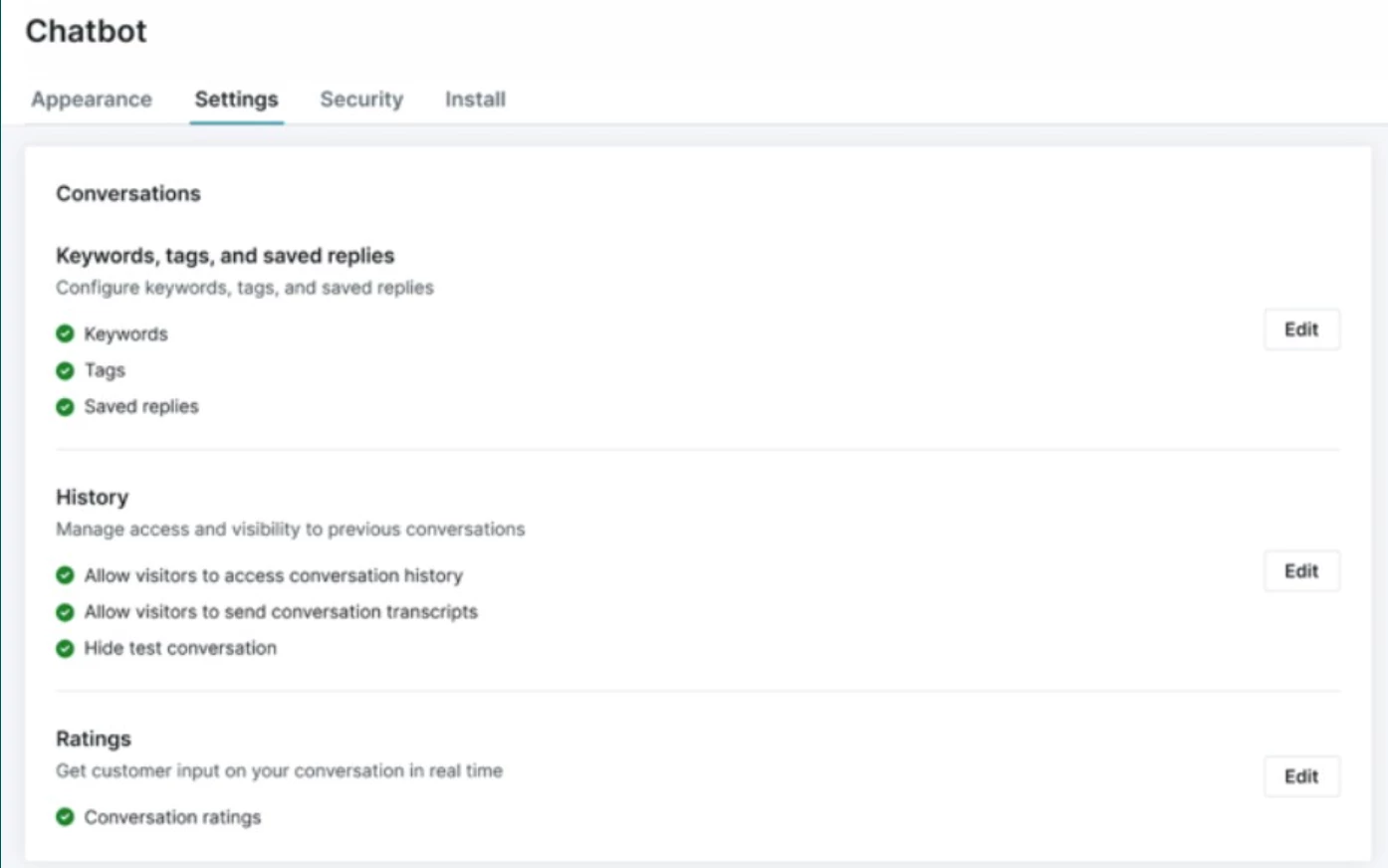
Drift Inbox settings, Communication settings, Rep Availability, Limits and Inactivity, and Routing settings and now consolidated under the single "Chatbot" setting.
Who: Available to all Drift Admins.
Where: Chatbot Settings Enhancements can be found in Drift Settings under Chatbot.
When: This feature is generally available.
How: Check out the Drift - Manage Chatbot Settings article to learn more.
Chatbot Guardrail Customization
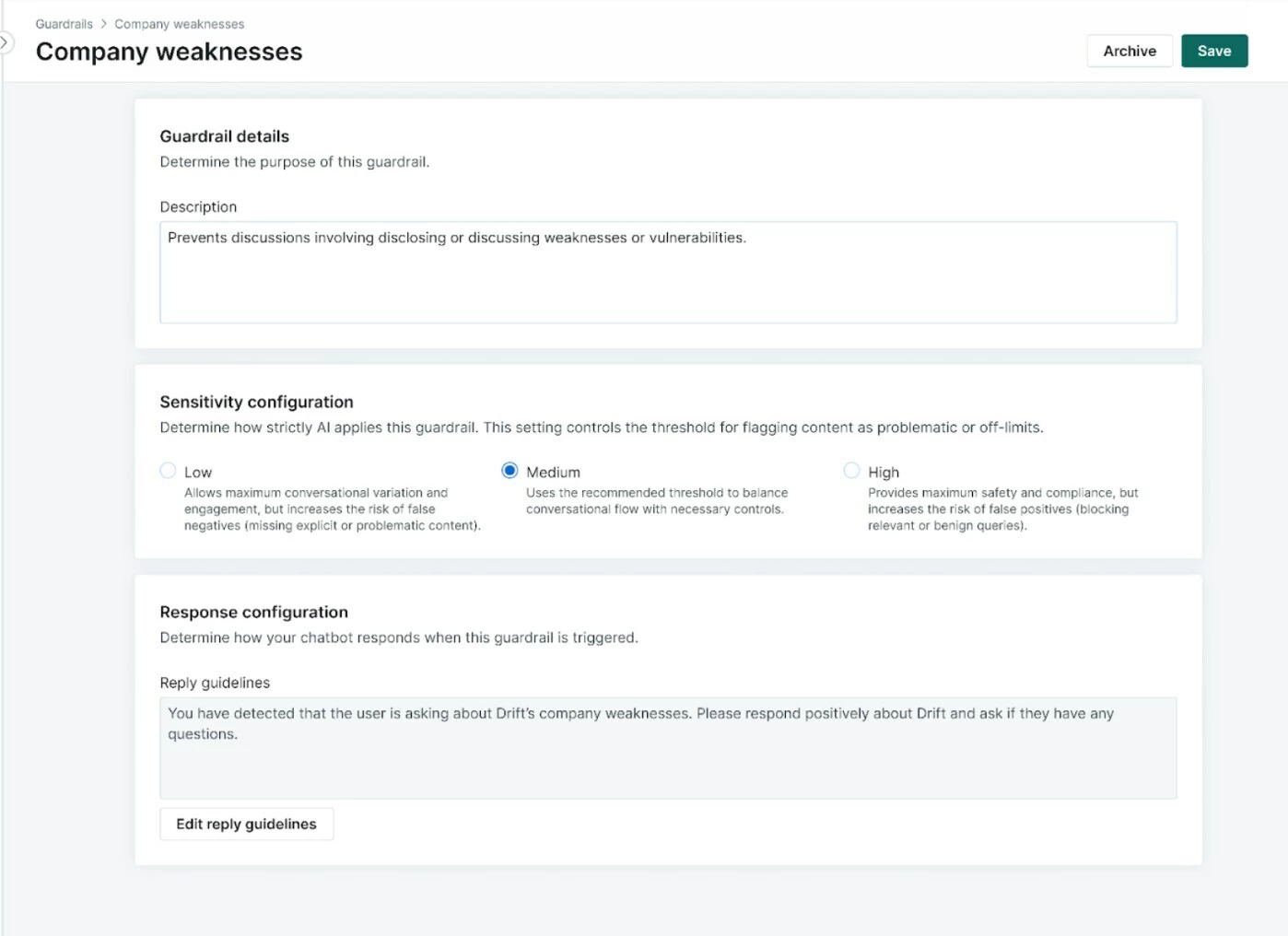
Drift's Bionic Chatbot Guardrail descriptions and sensitivity threshold are now customizable.
Who: Chatbot Guardrail Customization is available to all Drift users with Admin and Marketing permissions.
Where: Chatbot Guardrail Customization is located in the Guardrails Library section of Playbooks.
When: This feature is generally available.
How: Navigate to Playbooks, then select Guardrails and select the edit icon. Check out the Manage your Conversational Guardrails article to learn more.
What’s new in Clari
Here is a preview of some of the features available in the latest Clari release:
- Clari: Improved Search - Search displays results faster and shows more details like deal stage and account owner when searching deals.
- Groove: Any Step Automated Actions - This feature eliminates the manual work of updating Salesforce fields or creating tasks after a specific number of emails or calls.